Néon Blocks
A 1010!-style neon block puzzle: drag 3 shapes onto the 9×9 grid, fill rows and columns to clear them and chain combos. Nothing falls — it is all thinking.
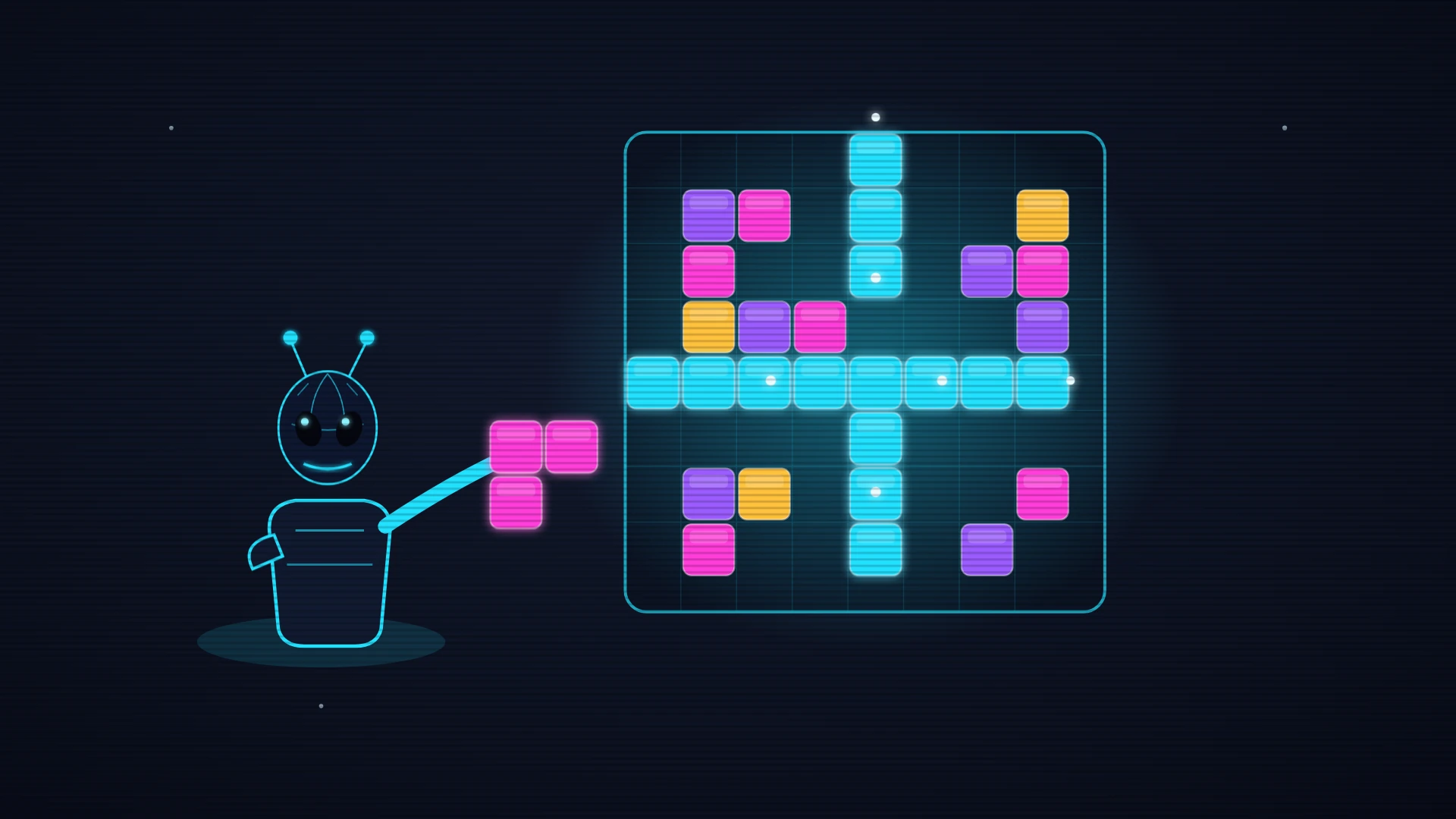
Read the rules below, then start your run.
About this game
Néon Blocks is a block-placement puzzle in the great line of 1010! and Woodoku, dressed in a polished retro-neon skin and built for touch as much as for the mouse. The idea is crisp and fiercely addictive: a square grid of nine cells by nine, completely empty to start with, and below it a tray of three shapes. Those shapes are polyominoes — the classic vocabulary of the genre: plain dominoes, small trominoes in a line or an elbow, T, S and L tetrominoes, squares of two by two or three by three, long bars of four or five cells, up to the big elbow that fills a three-cell square. Unlike a falling-block game, NOTHING drops here: take all the time you want. You pick a shape out of the tray and DRAG it with your finger (or the mouse) onto the grid; a ghost preview follows your hand and snaps to the cells, cyan when the placement is legal, red when the shape will not fit. You can only place a shape if all its cells land on free squares inside the grid. The whole game rides on one rule: the moment a full ROW or COLUMN is filled, its nine cells CLEAR in a burst of light and score you points. Better still, completing several rows and columns from one single placement sets off a COMBO whose bonus rockets: breaking two, three or four lines together pays far more than breaking them one at a time, and it is the most spectacular and most rewarding move in the game. Once your three shapes are down, three new ones appear, and so on. There are no levels and no clock: the game runs on for as long as you can find somewhere to put your shapes. It ends when none of the three in your tray fits anywhere on the grid — hence the whole strategy: keep space, plan for the big shapes, protect open areas instead of plugging everything. Your score is the running total: every cell placed pays a little, every line cleared pays a lot, every combo pays enormously. The controls are touch-first: with a finger, grab a shape and drag it onto the grid, and the preview snaps itself to the right cell; with a mouse it is the same drag-and-drop. Every shape has its own colour, but the information never rests on the shade: what counts is how full the lines are, not what colour they are. Everything runs at 60 frames per second, with a calm, unhurried synthesised soundtrack that supports thinking without ever pushing, and a satisfying pop for every line that clears. Néon Blocks is free and instant in your browser, nothing to install, on desktop and mobile alike. Create an account to sync your high scores, enter the leaderboards and unlock trophies as you play. How high will you push your score before the grid seizes up?
Your take
Sign in to react to this game in one click — nothing to write:
- Love it! 🔥
- More games like this! 🙌
- One of my favourites! ❤️
How to play
Drop blocks onto a 9×9 grid and complete whole rows or columns to clear them and score as much as you can.
Game rules
- You get an empty 9×9 grid and a tray of three shapes (polyominoes): dominoes, trominoes, squares, bars, T, S and L tetrominoes.
- Nothing falls and there is no clock: take all the time you need to work out the best placement.
- Drag a shape onto the grid: a ghost preview shows in cyan when the placement is legal, in red when the shape will not fit.
- A shape can only go down on cells that are entirely free, never overlapping a block already there.
- The moment a row or a column of 9 cells is completely filled, it clears in one go and scores you points.
- Once your three shapes are placed, three new ones appear: the game runs on for as long as at least one shape can be played.
Controls (keyboard and touch)
- Mouse (click and hold, then drag)Pick a shape out of the tray and drop it on the grid
- Finger (drag and drop)Drag a shape to where you want it, then let go
How a run ends
There is no final victory: you play for score. The game stops when none of the three shapes in your tray can be placed anywhere on the grid.
Tips & strategy
Keep space free
Do not fill the grid at random. Always leave open areas that can take the big shapes such as the 3×3 square or the five-cell bars, or you will jam yourself up fast.
Play for combos
Completing several rows or columns with a single placement sets off a combo with a generous bonus. Set up a hinge cell that closes two lines at once to squeeze out the most points.
Plan all three shapes
Look at all three pieces before you place the first. Play them in the order that preserves the most options, saving the awkward shapes for the spaces that suit them.
Did you know?
Gravity-free block placement descends from the puzzle "1010!", released in 2014, which took the idea of a board to fill with pieces placed freely rather than falling from above as in Tetris. It took off on mobile thanks to how immediately it plays.
The 9×9 variant was popularised by "Woodoku" and its cousins, which marry sudoku logic (rows and columns to complete) with polyomino handling. That crossover between careful filling and the satisfaction of an instant clear is what makes the genre so addictive.
Frequently asked questions
- Is Néon Blocks free to play?
- Yes. Néon Blocks is completely free and runs straight in your browser — no download, no install, no paywall.
- How do you play Néon Blocks?
- Hit “Play” to start Néon Blocks. It runs on keyboard on desktop and on touch controls on phones and tablets — no controller needed.
- Do I need an account to play?
- No — you can play right away as a guest, and your best score is kept on this device. A free account (by email link, no password) syncs your high scores, puts you on the leaderboards and unlocks trophies.
- Does Néon Blocks work on mobile?
- Yes. The game is responsive and fully playable with your fingers on phones and tablets, just like on desktop, with no app to install.
- Can I rotate the shapes before placing them?
- No, pieces go down exactly as they come, with no rotation. The whole strategy is finding the right home for each shape in its original orientation, which rewards planning over improvisation.
- What happens if I complete a row and a column at the same time?
- Both clear simultaneously and you set off a combo. The cells where they intersect are only counted once, but the combo bonus clearly rewards that double clear from a single placement.